Preview
Beautiful Interface
Clean, modern, and intuitive design that's a joy to use
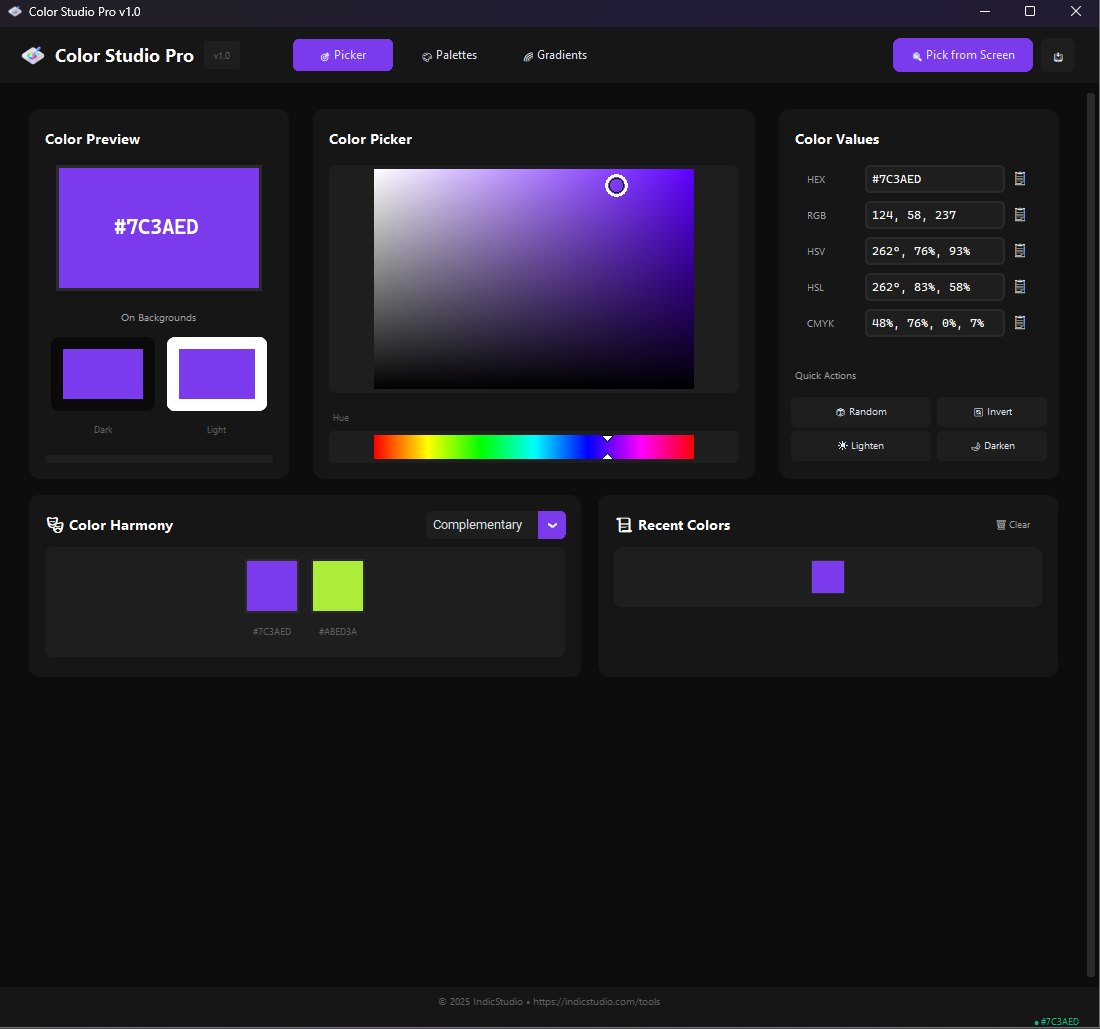
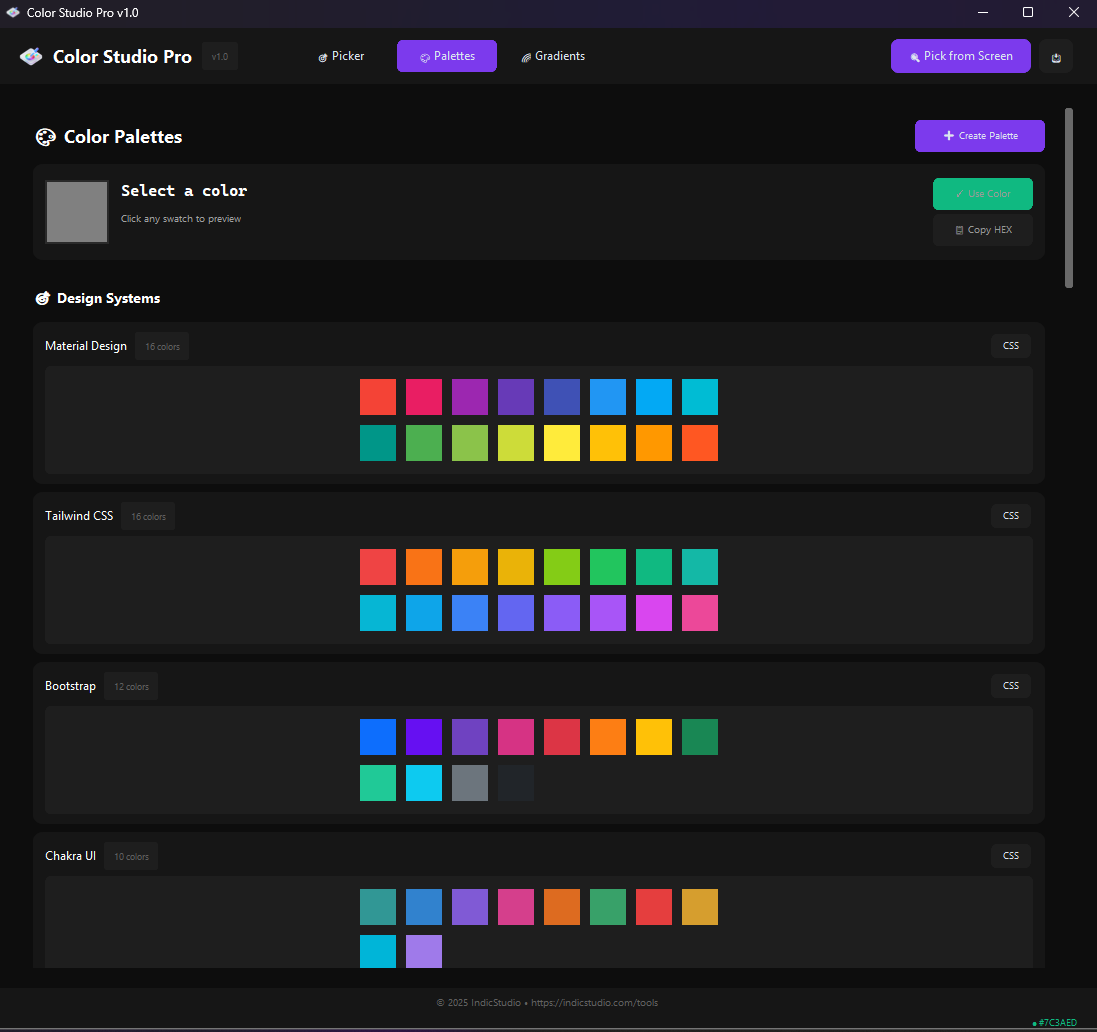
Color Studio Pro is a powerful, free Windows application that lets you pick colors from anywhere on your screen, create beautiful palettes, and explore color harmonies with ease. Perfect for designers and developers.
Lightweight
Open Source
Compatible
Professional-grade tools designed to make color picking and management effortless
Pick colors from anywhere on your screen with pixel-perfect accuracy. Supports multiple color formats.
Create, save, and manage custom color palettes. Export palettes for use in other applications.
Generate complementary, analogous, triadic, and other color schemes automatically.
Create beautiful gradients with multiple stops. Get CSS code ready to use in your projects.
Automatic history tracking of all picked colors. Never lose a color you've used before.
Copy colors in HEX, RGB, HSL, HSV, and CMYK formats. One click to copy to clipboard.
Pick colors from any window or application. Works with games, browsers, and design tools.
Beautiful dark and light themes. Easy on the eyes for long working sessions.
Global keyboard shortcuts for quick color picking. Customize hotkeys to your workflow.
Clean, modern, and intuitive design that's a joy to use
Free, lightweight, and ready to use. No installation required - just download and run!
Safe and secure. No ads, no malware, no tracking.
Color Studio Pro was created to solve the everyday challenges designers and developers face when working with colors. Whether you're designing a website, creating graphics, or developing an application, you need a reliable tool to pick, manage, and organize colors.
Our mission is to provide a professional-grade color picker that's powerful yet simple to use. No subscriptions, no cloud requirements - just a fast, reliable desktop application that respects your privacy and workflow.
Optimized for speed and minimal resource usage
No data collection, no internet required
Transparent and community-driven development
Yes! Color Studio Pro is completely free with no hidden costs, subscriptions, or premium features. It's open source and will remain free forever.
Color Studio Pro works on Windows 10 and Windows 11. It's optimized for modern Windows systems.
No installation needed! Simply download the executable file and run it. It's portable and leaves no traces on your system.
Absolutely! You can use Color Studio Pro for personal, commercial, or any other projects without any restrictions.
No data collection whatsoever. Your privacy is important to us. The app works completely offline and doesn't send any information anywhere.
Visit our GitHub repository or contact us through IndicStudio. We're always happy to help and improve the tool based on your feedback.